🚨 Motion Alarm
Watch out! Your Arduino is guarding a secret treasure. When someone gets too close, the light flashes and the alarm goes off!
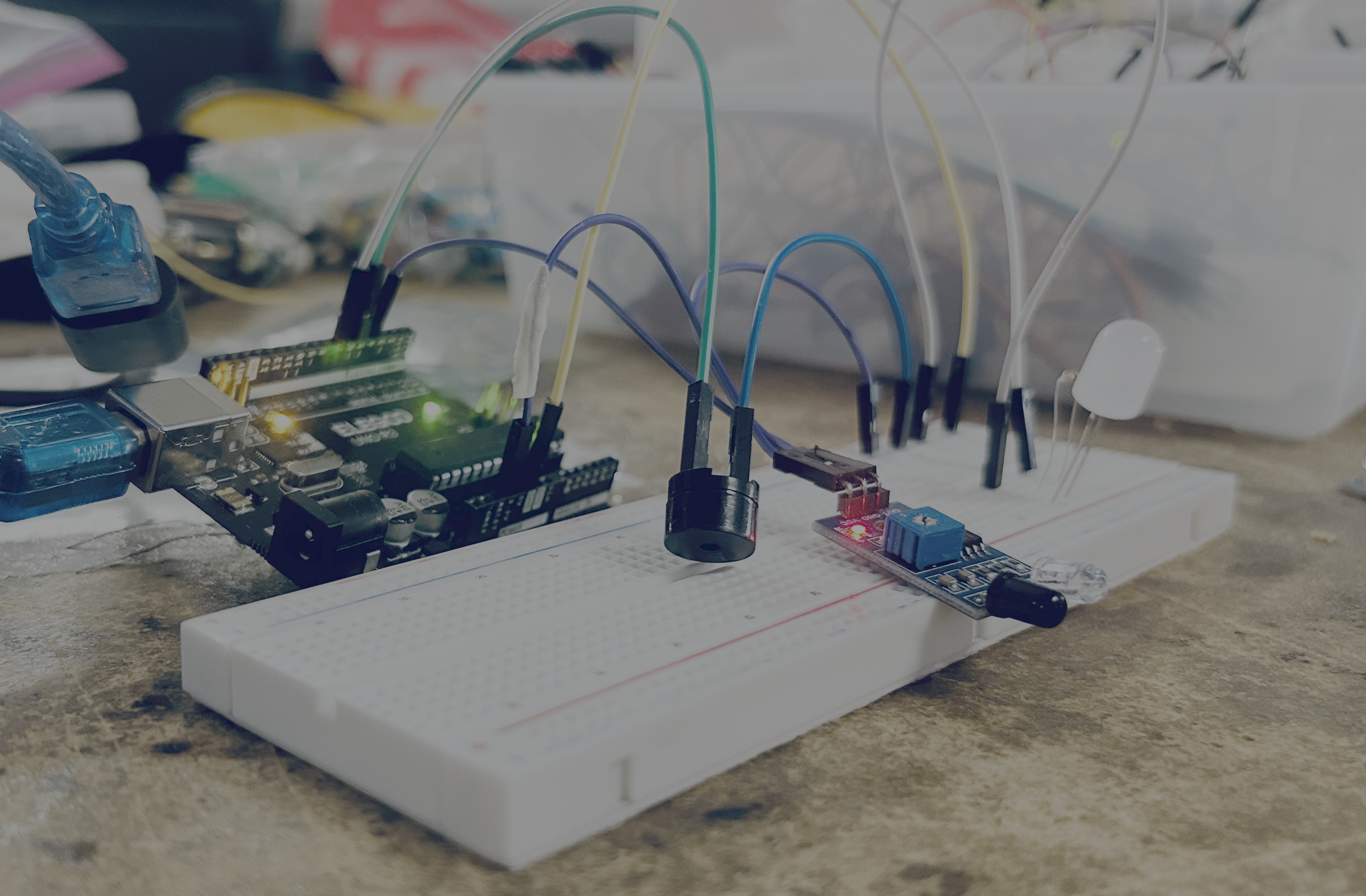
Instructions
- Change the two numbers in the code and upload to see what it does.
int alarmDelay = 100; // This one controls long the sound is
int alarmSound = 300; //  This variable controls the type of sound
Challenges
⭐ Easy
- Make the alarm beep faster.
- Make the alarm beep slower.
⭐⭐ Medium
Can you make:
- 📢 The highest sounding alarm
- 🔔 The lowest sounding alarm
- ⚡ The fastest alarm
- 🐢 The slowest alarm
⭐⭐⭐ Design Challenge
Design your own alarm!
Give it a fun name and choose the settings that match.
Ideas:
- 👽 Alien Detector
- 🐉 Dragon Alarm
- 💎 Treasure Guard
- 🍪 Cookie Protector
- 🚀 Space Station Alarm
- 🏰 Castle Security
- 🦖 Dinosaur Detector
Alarm Name: _____
Alarm Delay: _____
Alarm Sound: _____
Wiring
| Component | Arduino Pin |
|---|---|
| Motion Sensor OUT | 4 |
| Passive Buzzer | 5 |
| LED | 7 |
| Motion Sensor VCC | 5V |
| Motion Sensor GND | GND |
| LED GND | GND (through 220Ω resistor) |
| Buzzer GND | GND |
Setup
This uses the standard setup instructions.
Starter Code
// ==========================================
// PLAY AREA
// ==========================================

int alarmDelay = 100; // This one controls long the sound is
int alarmSound = 300; //  This variable controls the type of sound

// ==========================================
// PINS
// ==========================================

int SENSOR_PIN = 4;
int BUZZER_PIN = 5;
int LED_PIN = 7;

void setup() {
  Serial.begin(115200);

  pinMode(SENSOR_PIN, INPUT);
  pinMode(BUZZER_PIN, OUTPUT);
  pinMode(LED_PIN, OUTPUT);
}

void loop() {
  if (!digitalRead(SENSOR_PIN)) {

    tone(BUZZER_PIN, alarmSound);

    digitalWrite(LED_PIN, HIGH);

    delay(alarmDelay);

    noTone(BUZZER_PIN);

    digitalWrite(LED_PIN, LOW);

    delay(alarmDelay);
  }
}